



Organise courses, enrolment information and learning resources. Explain suitability before comparison and the next step.
Content to prepare
Course catalogue, audiences, study formats, entry requirements and downloads. Record sources, update dates and owners and mark missing material explicitly.
From browsing to action
Follow a real task through entry, listing, detail and contact. Explain requirements before enquiries or purchases and validate the same journey on mobile and with a keyboard.
Related design commentary
Organise courses, enrolment information and learning resources into a clear website experience that helps visitors understand the offering and find their next step.

Melbourne Business School’s AI chatbot · Design showcase
Bound a conversational helper's questions, provide source references and retain conventional search and human contact.

Actuaries Institute · Design showcase
Group professional resources, membership and learning so newcomers and regular readers have clear routes.

Pearson Australia Schools · Design showcase
Categorise educational products by level, subject and format, distinguishing teachers, families and institutional buyers.

ANZIIF · Design showcase
Connect professional courses, events and industry resources through consistent categories and learning goals.
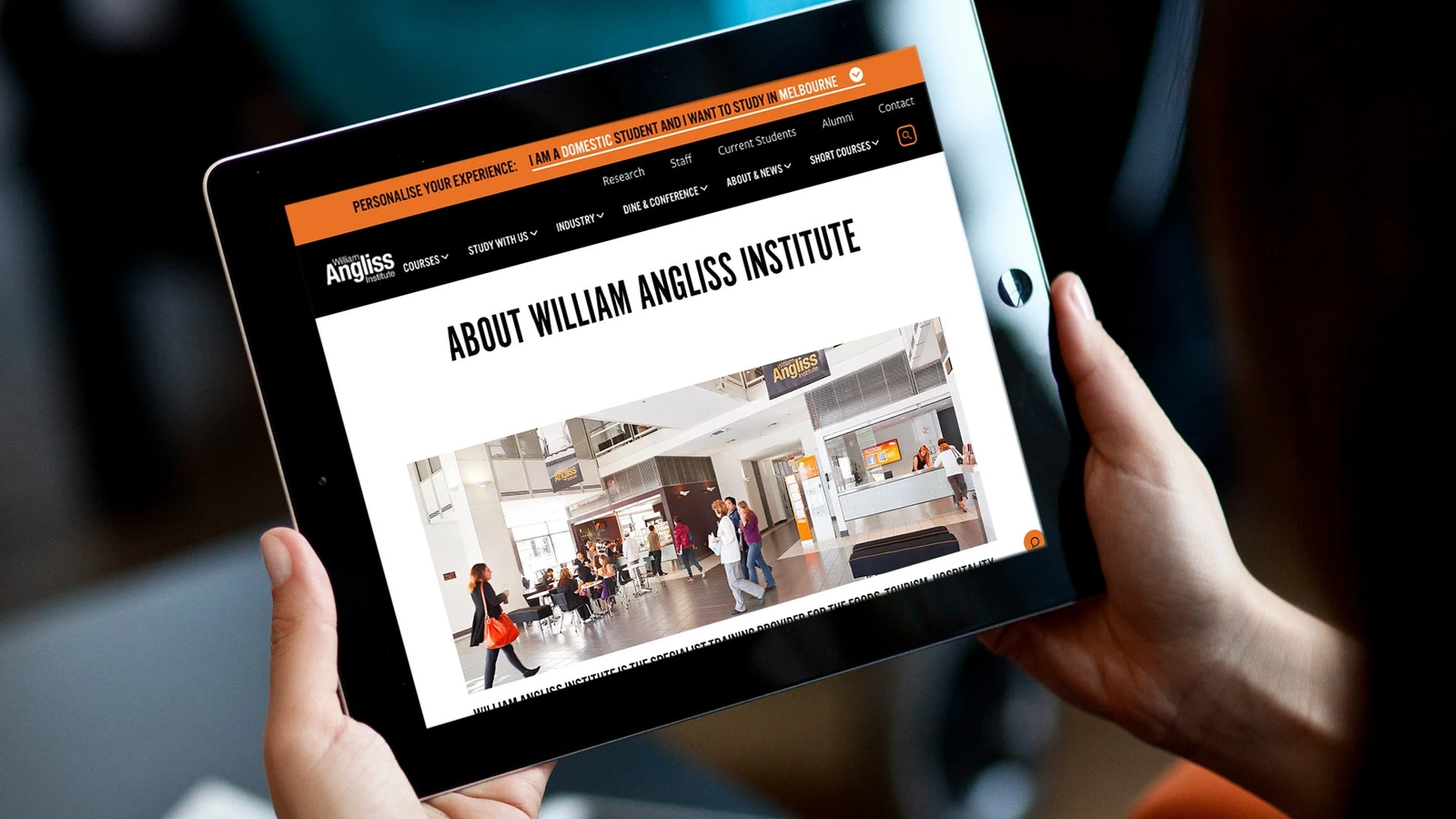
William Angliss Institute · Design showcase
Organise vocational education by field, level and application requirements, using learning environments to add context.

Veggycation · Design showcase
Categorise educational food content by ingredient, question and use case, using visual indexes for discovery.

Melbourne Business School · Design showcase
Support educational choices through courses, formats and admission conditions, with people and campus imagery providing context.

Methodist Ladies' College · Design showcase
Provide distinct journeys for prospective families, current families and community across curriculum, admission and campus information.

Equip Super · Design showcase
Maintain clear boundaries between member overviews, comparisons and personal actions, with relevant explanations nearby.

Deakin University Student Association · Design showcase
Organise student events, benefits and support around tasks, with quick access to current information on mobile.

AusAppPathways App · Design showcase
Support short mobile career exploration sessions with coherent filters, return positions and saved preferences.

Australian Apprenticeships Pathways · Design showcase
Separate career directions, learning requirements and application preparation into clear next steps.
Explain the business clearly and give every visit a direction.
Education · Working details
Organise courses, enrolment information and learning resources into a clear website experience that helps visitors understand the offering and find their next step.

Tool permissions
Project discipline
Define tool permissions responsibilities, inputs, collaborators and review outcomes. This page describes a discipline; staffing is agreed for each project.

Account permissions
Project discipline
Define account permissions responsibilities, inputs, collaborators and review outcomes. This page describes a discipline; staffing is agreed for each project.

Component maintenance
Project discipline
Define component maintenance responsibilities, inputs, collaborators and review outcomes. This page describes a discipline; staffing is agreed for each project.
Related services and platforms
Organise courses, enrolment information and learning resources into a clear website experience that helps visitors understand the offering and find their next step.

Discovery
Deliver an input inventory, research questions, current issues and scope boundaries. Separate assumptions rather than estimating from reference page counts alone.

Brand websites
Deliver home, services or products, about, contact and agreed supporting pages. Organise around understanding and enquiries and adapt the design to real material.

Digital strategy
Deliver a goal-to-task map, page priorities, metric definitions and a near-term roadmap. Agree the main customer task before deciding the first pages.

Digital design
Deliver compositions, typography, colour, imagery rules and responsive guidance. Validate real copy and mobile reading order before extracting shared components.

Content planning
Deliver a content inventory, titles, summaries, body structure and ownership. Separate explanation, evidence and action and record missing inputs.

Web hosting
Assess static delivery, dynamic requests and stored data separately, including account ownership, logs and recovery.
Shape the project
Organise courses, enrolment information and learning resources into a clear website experience that helps visitors understand the offering and find their next step.

Practical notes
How to choose the right CMS
Use an article, product and approval as sample tasks. Have real editors author, preview and restore content and record assistance and maintenance costs.


Practical notes
Building a martech stack
Map acquisition, content, email, analytics and customer records, including existing tools. Before adding a system, check export, synchronisation and maintenance ownership.

Practical notes
Plan human review for AI content
Generating a whole website and then looking for someone to check it encourages a rushed review. Decide beforehand which material is available, which statements need approval and who can publish the result. The draft can then be built around information that is possible to verify.


Practical notes
How to create a digital strategy roadmap
Separate current problems, near-term improvements and later experiments, with owners and evidence. Keep the rationale for roadmap changes traceable.

Practical notes
How to perform a website audit
Sample navigation, copy, images, forms, search and mobile tasks. A successful response establishes reachability, not correct content or behaviour.

Practical notes
How to brief a digital agency
State the business, audience, pages, available material and decision-maker. Clarify budget and timing conditions and identify specific reference sections.

Planning headless CMS content
Download this editable planning headless cms content to record current work, open questions and owners. OXOAK examples can be adapted to the project.

Digital product design workbook
Download this editable digital product design workbook to record current work, open questions and owners. OXOAK examples can be adapted to the project.

Practical notes
Why conducting a content audit is essential
Record URL, topic, owner, validity and action. Distinguish duplicates, outdated material and unsupported claims rather than deciding from traffic alone.