



Deliver a content inventory, titles, summaries, body structure and ownership. Separate explanation, evidence and action and record missing inputs.
Content planning · Working details
Start with customer questions and organise products, services and brand stories into clear headings, explanations and next steps.
Working material
Content needs a topic, owner and validity period. Explanation, evidence and action form a reading path; missing information should remain an identified gap rather than invented claims.
Delivery and checks
Ask someone unfamiliar with the business to explain its scope and next step after reading. Check alignment between title, summary, body and links.
Related design commentary
Start with customer questions and organise products, services and brand stories into clear headings, explanations and next steps.

Eftsure · Design showcase
Connect a software product's problem, capabilities and workflow, separating demo requests from resources.

The Australian and New Zealand College of Anaesthetists (ANZCA) · Design showcase
Separate training, member and public journeys on a professional college site, with clear terminology and resource categories.

SILK Laser Clinics · Design showcase
Connect services, locations, preparation and enquiry paths, supplementing imagery with suitability information.

RedZed · Design showcase
Explain specialist financial services through customer situations and process, with conditions before enquiries.

Yuanjing Mobility | A new horizon
Concept case · A distinctive brand story and connected product journey for a new electric-mobility concept.

The Fred Hollows Foundation · Design showcase
Connect people, projects and action in a non-profit narrative, with discoverable use-of-funds and progress information.

Beyond Blue · Design showcase
Separate support, information and participation, keeping urgent and important routes visible and understandable.

Simplot · Design showcase
Present food brands, business and applications with separate consumer and partnership entry points.

Interrelate · Design showcase
Explain audiences, access methods and appointment preparation for family support in direct, understandable language.

The Salvation Army Discovery Project · Design showcase
Identify users and support situations during discovery before arranging service, location and contact journeys.

Yarra City Council · Design showcase
Group council information by resident tasks with consistent routes to applications, locations and public resources.

Ivory Coat Food Check · Design showcase
Start a product checker with a few clear questions and explain the inputs and boundaries of its result.

Kapitol Group · Design showcase
Build a construction directory around imagery, project types and locations, with scope and design details on each page.

Avant · Design showcase
Provide distinct routes to professional support, products and resources, maintaining continuity across sign-in.

Fuso · Design showcase
Support vehicle comparison through models, applications and specifications, pairing imagery with technical information.

Adviceline Injury Lawyers · Design showcase
Explain legal service suitability, process and required material before inviting an enquiry.
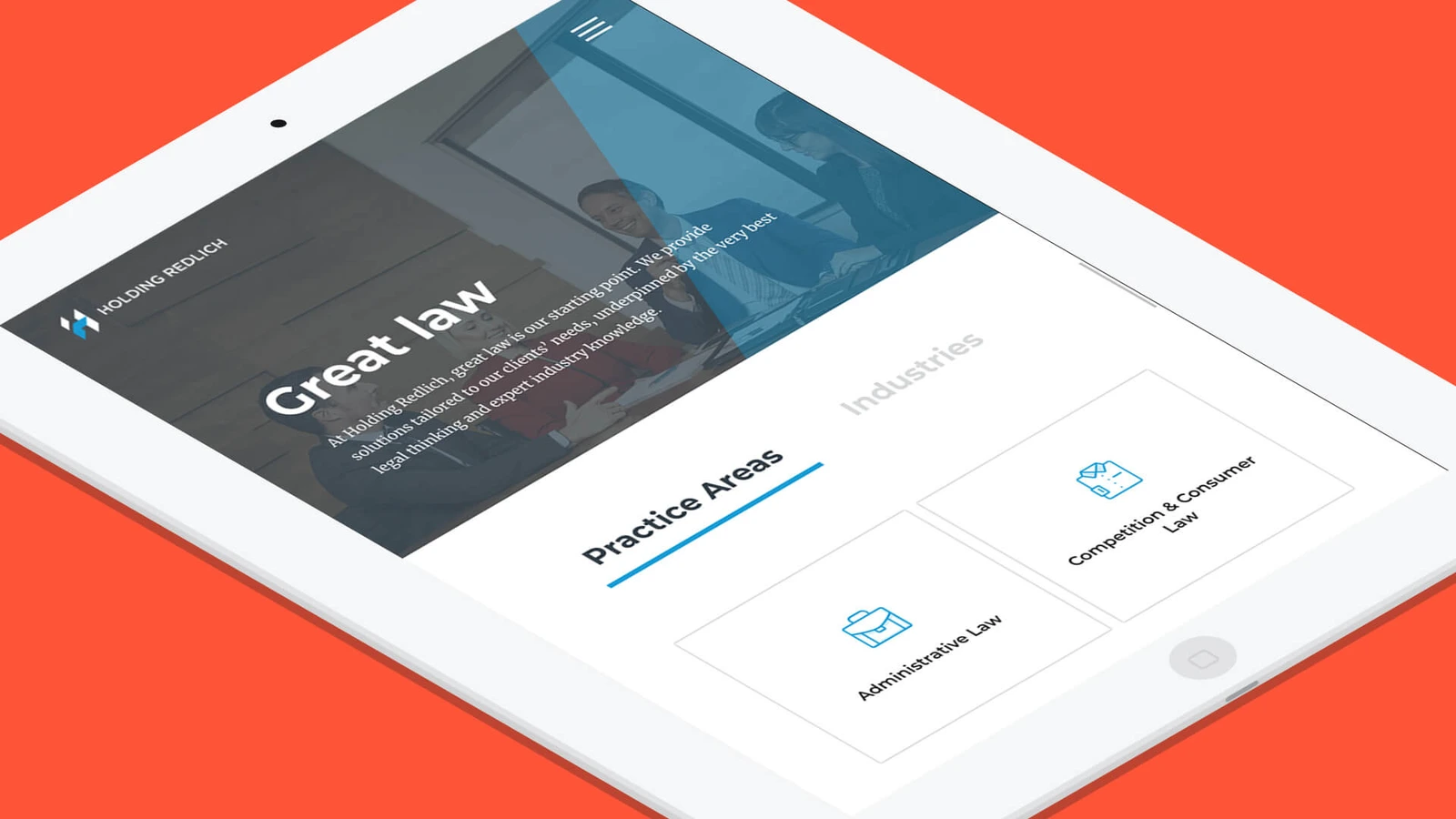
Holding Redlich · Design showcase
Connect legal practices, people and relevant updates, carrying the reader's topic into enquiries.
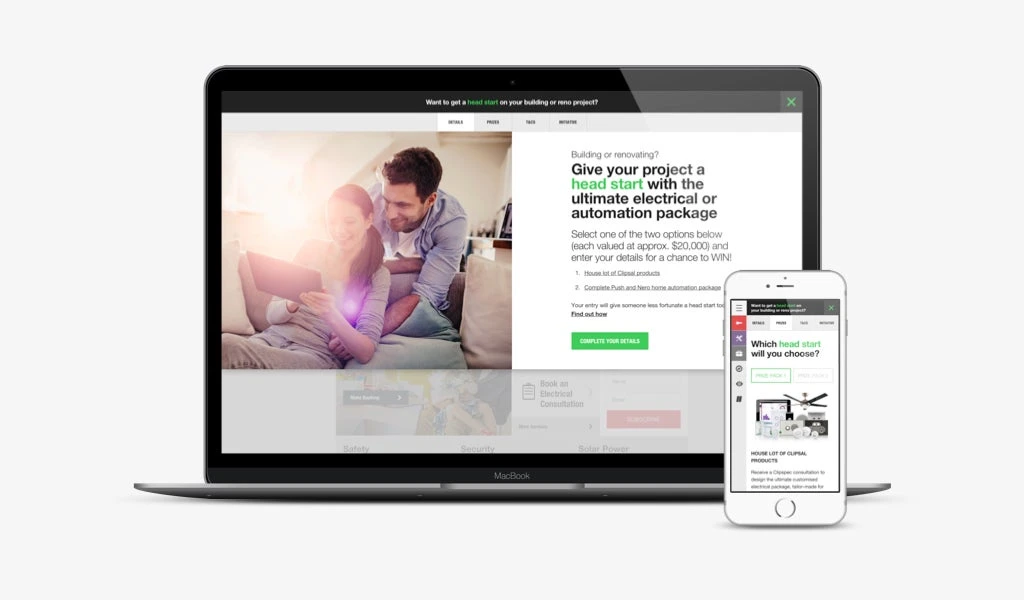
Head Start – Clipsal Consumer Promotion · Design showcase
Show campaign steps, eligibility and dates, keeping accessible rules consistent with promotion copy.
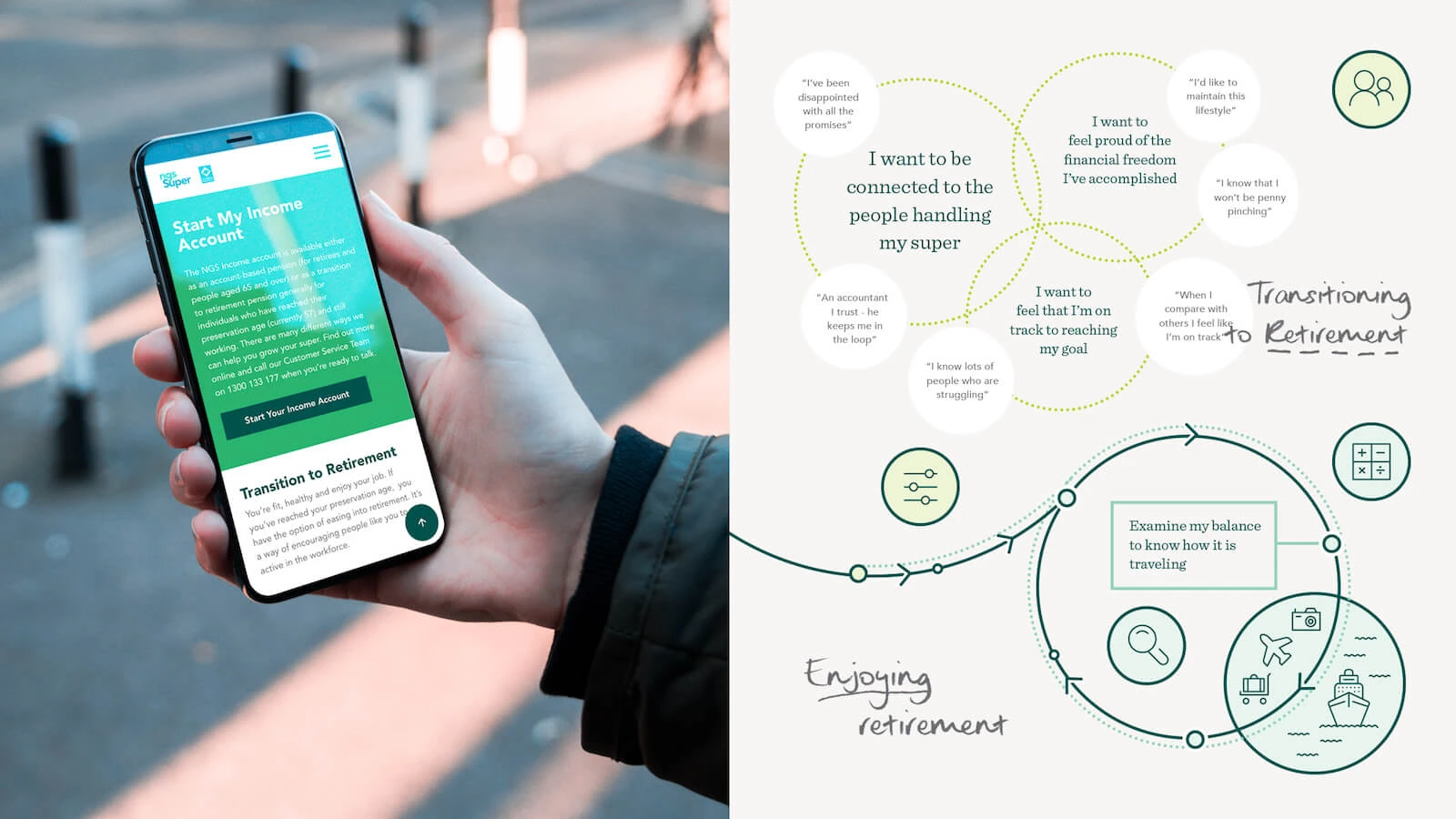
NGS Super · Design showcase
Use life-stage routes for member services, with complete informational and account journeys.


Legalsuper · Design showcase
Separate plan information, resources and account actions on a member site, explaining complex concepts in short passages.

Australian Apprenticeships Pathways · Design showcase
Separate career directions, learning requirements and application preparation into clear next steps.
Related practical notes
Start with customer questions and organise products, services and brand stories into clear headings, explanations and next steps.

Component maintenance
Project discipline
Define component maintenance responsibilities, inputs, collaborators and review outcomes. This page describes a discipline; staffing is agreed for each project.
Human review
Project discipline
Define human review responsibilities, inputs, collaborators and review outcomes. This page describes a discipline; staffing is agreed for each project.

Link maintenance
Project discipline
Define link maintenance responsibilities, inputs, collaborators and review outcomes. This page describes a discipline; staffing is agreed for each project.
External references
Project discipline
Define external references responsibilities, inputs, collaborators and review outcomes. This page describes a discipline; staffing is agreed for each project.

Brand positioning
Project discipline
Define brand positioning responsibilities, inputs, collaborators and review outcomes. This page describes a discipline; staffing is agreed for each project.
AI input preparation
Project discipline
Define ai input preparation responsibilities, inputs, collaborators and review outcomes. This page describes a discipline; staffing is agreed for each project.

Practical notes
7 reasons why content calendars fail
Check that each topic has an owner, required assets and a release date. Keep unconfirmed ideas in a backlog rather than filling every calendar cell with undeliverable work.
Practical notes
Why conducting a content audit is essential
Record URL, topic, owner, validity and action. Distinguish duplicates, outdated material and unsupported claims rather than deciding from traffic alone.
Practical notes
5 content-related ‘crimes’ against accessibility
Check heading order, image alternatives, link names, table headers and form labels. A link should explain its destination without relying on “click here”.
Shape the project
Start with customer questions and organise products, services and brand stories into clear headings, explanations and next steps.

Practical notes
How to choose the right CMS
Use an article, product and approval as sample tasks. Have real editors author, preview and restore content and record assistance and maintenance costs.

Practical notes
Building a martech stack
Map acquisition, content, email, analytics and customer records, including existing tools. Before adding a system, check export, synchronisation and maintenance ownership.

Practical notes
Plan human review for AI content
Generating a whole website and then looking for someone to check it encourages a rushed review. Decide beforehand which material is available, which statements need approval and who can publish the result. The draft can then be built around information that is possible to verify.

Practical notes
How to create a digital strategy roadmap
Separate current problems, near-term improvements and later experiments, with owners and evidence. Keep the rationale for roadmap changes traceable.


Practical notes
How to perform a website audit
Sample navigation, copy, images, forms, search and mobile tasks. A successful response establishes reachability, not correct content or behaviour.

Practical notes
How to brief a digital agency
State the business, audience, pages, available material and decision-maker. Clarify budget and timing conditions and identify specific reference sections.

Planning headless CMS content
Download this editable planning headless cms content to record current work, open questions and owners. OXOAK examples can be adapted to the project.

Digital product design workbook
Download this editable digital product design workbook to record current work, open questions and owners. OXOAK examples can be adapted to the project.
Practical notes
Why conducting a content audit is essential
Record URL, topic, owner, validity and action. Distinguish duplicates, outdated material and unsupported claims rather than deciding from traffic alone.