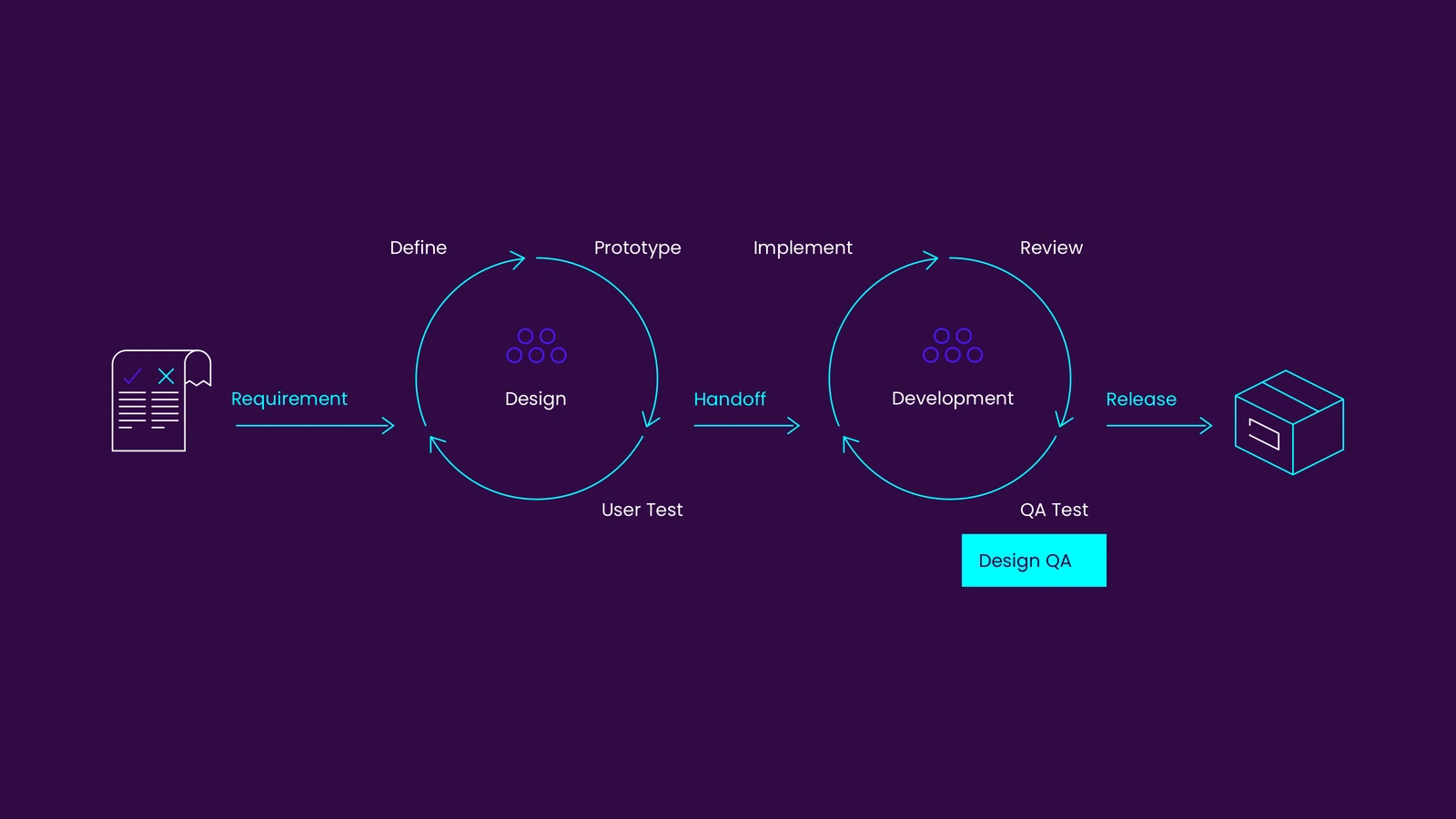



Create a coherent visual language

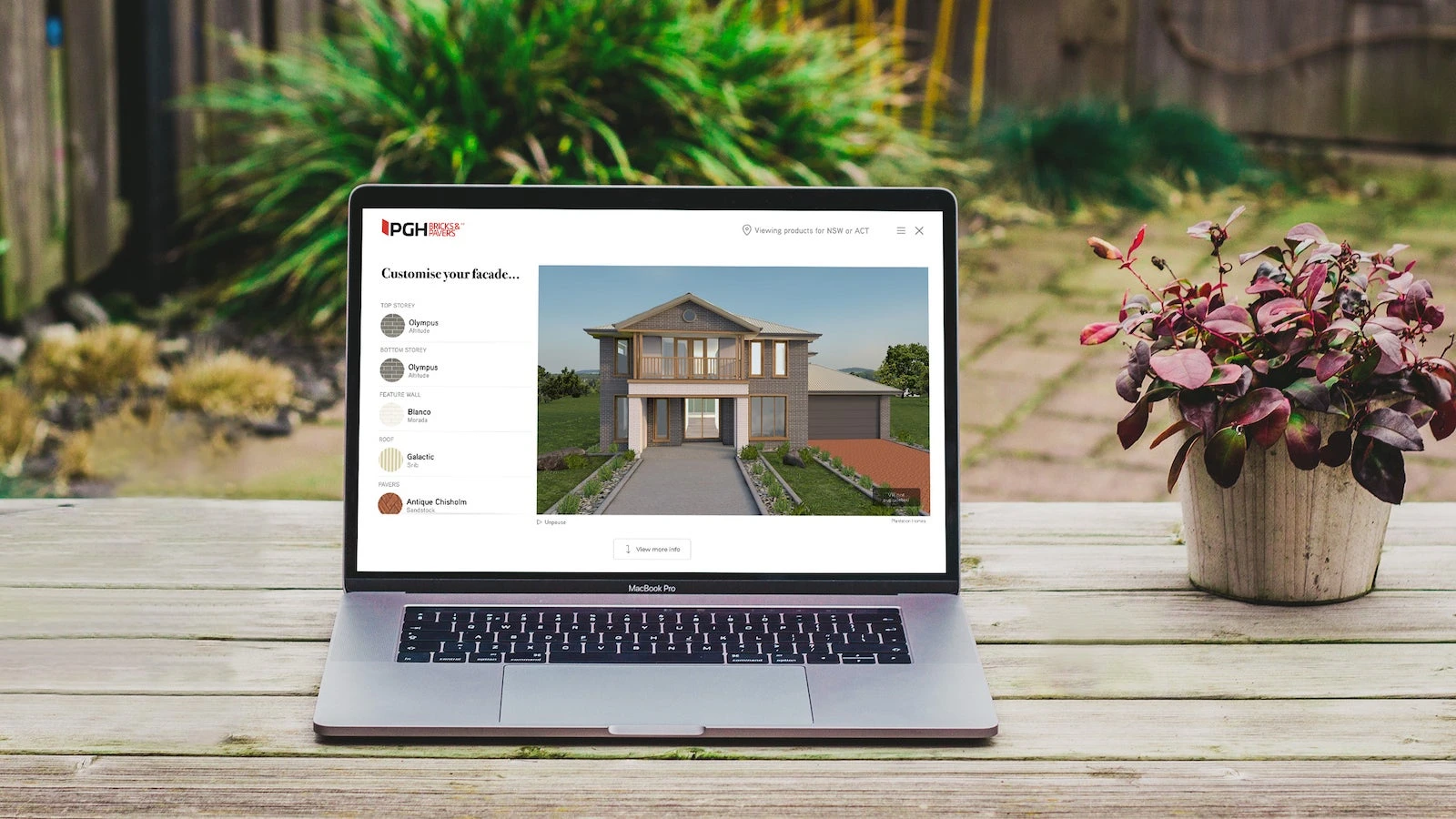
Explaining results in a product visualiser

Create a coherent visual language
OXOAK / Content and design

Practical notes

1 min read

Explaining results in a product visualiser

Label colours, materials and scenes clearly and distinguish illustrative results from actual products. Let customers retain a summary and ask follow-up questions.

Putting visual design and experience into practice

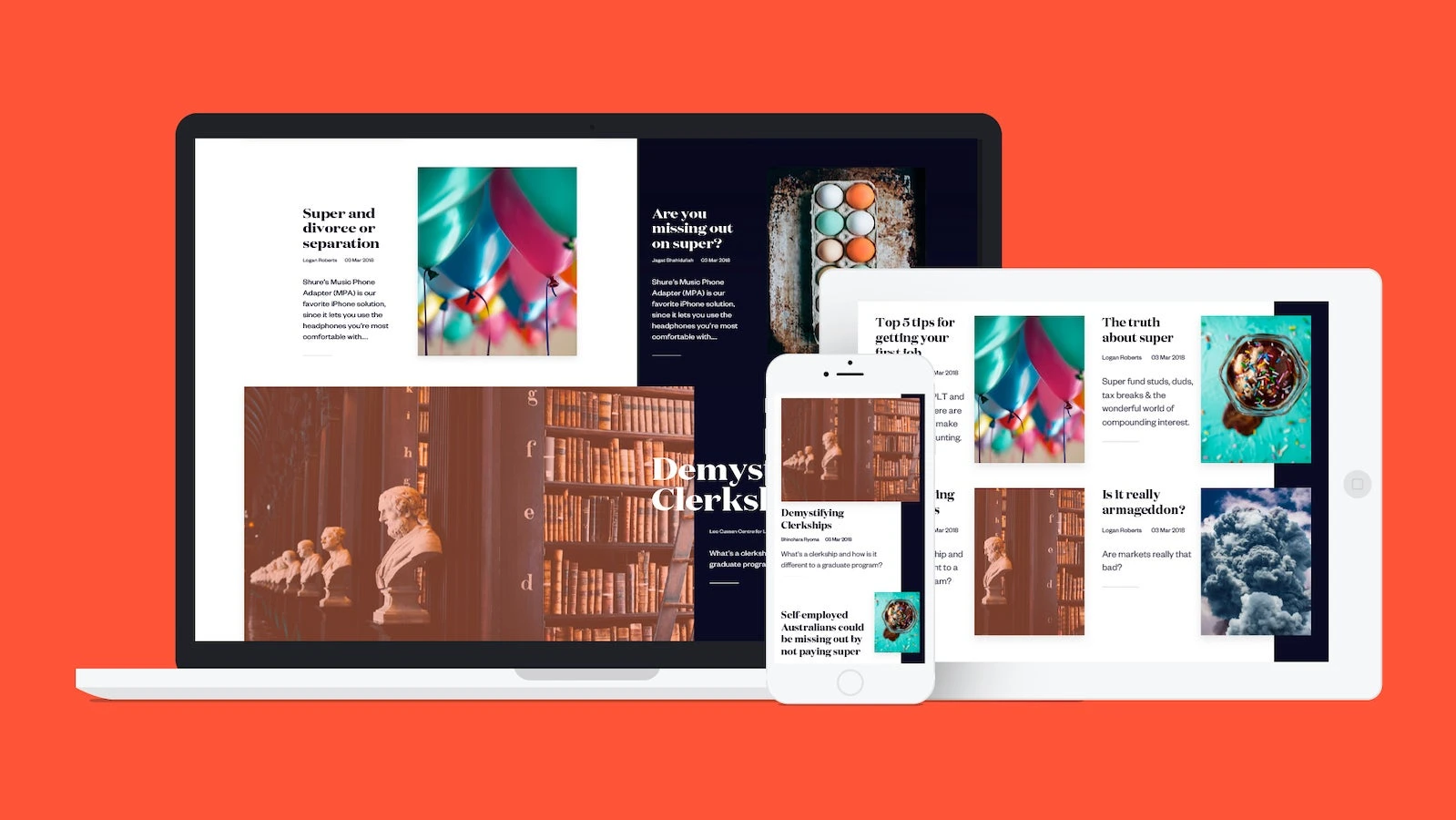
Visual hierarchy should match information priority. Typography, imagery and spacing determine what visitors notice first and how they understand the next information.

Checking the result

Compare home and detail pages at the same scale, including long headings, real imagery and mobile order. Connect observations to concrete areas and tasks.

Related design commentary

AI content verification

AI content verification

Project discipline

Define ai content verification responsibilities, inputs, collaborators and review outcomes. This page describes a discipline; staffing is agreed for each project.

Analysing a financial-services design

Practical notes

Analysing a financial-services design

Analyse services, eligibility, risk information and contact journeys. Exclude unverified credentials, relationships and recognition.

Analysing a financial-services design
OXOAK / Editorial

Practical notes

Practical notes

Change approval

Change approval

Project discipline

Define change approval responsibilities, inputs, collaborators and review outcomes. This page describes a discipline; staffing is agreed for each project.

Practical notes

Using a consistent method to review designs

Record audience, primary task, visual strategy and interaction evidence for each project. Use consistent criteria instead of treating volume as proof of quality.

Using a consistent method to review designs
OXOAK / Editorial

Practical notes

Practical notes

PGH Bricks Visualiser · Design showcase

Keep material selections consistent with their visual result and pair static previews with colour, texture and specification information.

Digital design

Deliver compositions, typography, colour, imagery rules and responsive guidance. Validate real copy and mobile reading order before extracting shared components.

Showing the practical value of education pathways

Practical notes

Showing the practical value of education pathways

Keep eligibility, learning routes and application entry points on the main journey. Recognition may support the story but should not displace practical course information.

Showing the practical value of education pathways
OXOAK / Editorial

Practical notes

Practical notes

Web design trends for 2019: Part I – Purposeful motion

Practical notes

Web design trends for 2019: Part I – Purposeful motion

Use motion to explain entry, change or feedback without blocking reading. Keep content and tasks available with reduced motion.

Web design trends for 2019: Part I – Purposeful motion
OXOAK / Editorial

Practical notes

Practical notes

Web design trends for 2019: Part II – Bold visual styling

Practical notes

Web design trends for 2019: Part II – Bold visual styling

Choose a visual focus and a clear sequence for headings, copy and actions. Test strong contrast and large type with real content.

Web design trends for 2019: Part II – Bold visual styling
OXOAK / Editorial

Practical notes

Practical notes

Web design trends for 2019: Part III – Interface smarts

Practical notes

Web design trends for 2019: Part III – Interface smarts

Explain automatic suggestions and allow editing and undo. Users should not need to guess what the system did.

Web design trends for 2019: Part III – Interface smarts
OXOAK / Editorial

Practical notes

Practical notes

Why Design QA should not be an afterthought

Practical notes

Why Design QA should not be an afterthought

Compare typography, spacing, images and states as components are implemented. Test mobile and long English copy separately before release.

Practical notes

Practical notes

Learning from website evolution

Practical notes

Learning from website evolution

Identify navigation, content and customer entry points that still work in an older site. Preserve those journeys during visual changes and compare whether the new layout improves understanding.

Learning from website evolution
OXOAK / Editorial

Practical notes

Practical notes

Form validation

Project discipline

Define form validation responsibilities, inputs, collaborators and review outcomes. This page describes a discipline; staffing is agreed for each project.

Balancing expressive and usable interactive content

Practical notes

Balancing expressive and usable interactive content

Distinguish story chapters from primary actions. Essential information and contact routes should remain available when animation is reduced or video skipped.

Balancing expressive and usable interactive content
OXOAK / Editorial

Practical notes

Practical notes

Connecting design recognition with user value

Practical notes

Connecting design recognition with user value

Show design decisions and their validation methods. When recognition lacks evidence, focus on experience analysis rather than promotional claims.

Connecting design recognition with user value
OXOAK / Editorial

Practical notes

Practical notes

Presenting design choices in a housing website

Practical notes

Presenting design choices in a housing website

Organise by layout, location, budget context and enquiry, with conditions for illustrations. Exclude unsupported awards and sales claims.

Presenting design choices in a housing website
OXOAK / Editorial

Practical notes

Practical notes